A free desktop companion for macOS

A tiny pixel crab
that lives on your Mac.

Clawd wanders along the bottom of your screen, settles into your menu bar, and quietly gets useful: focus timers, folder tidying, file drops, a GitHub dashboard, and a tap on the shoulder when Claude Code is done.

Download for macOS

Latest release · macOS 14+ · Free & open source (MIT)

Clawd on your desktop
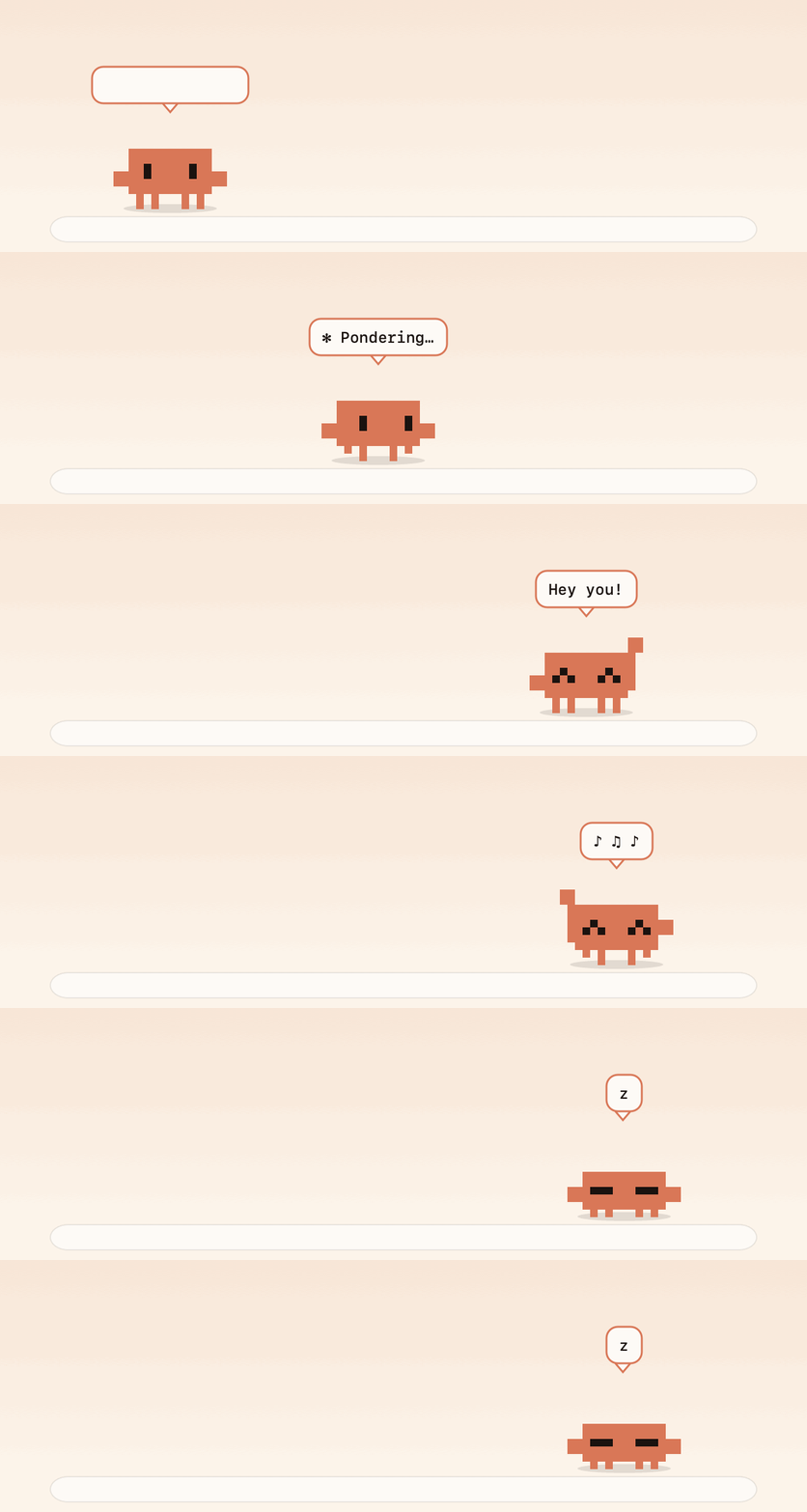
Clawd walking along the bottom of a screen, talking, jumping, dancing and napping

✻ That little guy at the bottom of this page is really Clawd. Click him. Drag him. Throw him.

Menu bar buddyFocus timerFile shelfFolder tidierLink to MP3/MP4Claude Code alertsGitHub dashboardPort watcherWeather outfitsFlappy ClawdBasketballScreenshot to text8-bit sounds Menu bar buddyFocus timerFile shelfFolder tidierLink to MP3/MP4Claude Code alertsGitHub dashboardPort watcherWeather outfitsFlappy ClawdBasketballScreenshot to text8-bit sounds

What he does

Small. Pixelated. Surprisingly useful.

Menu bar

Drag him up and he lives there

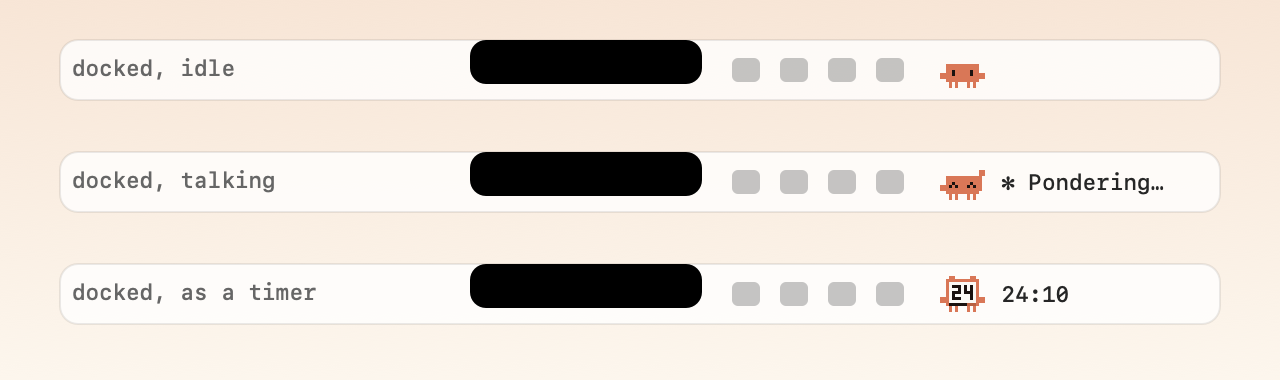
Grab Clawd, drop him on the menu bar, and he shrinks into a little icon that blinks, walks in place and pops up short phrases. Alerts appear as a small bubble under his icon, so he stays put. Drag him back out to carry him down to your desktop, or click him for his menu. He's notch-aware too: if macOS has no room for his icon, he notices and hops back out instead of vanishing.

Clawd in the menu bar: idle, talking, and as a timer

Focus timer

He literally turns into a timer

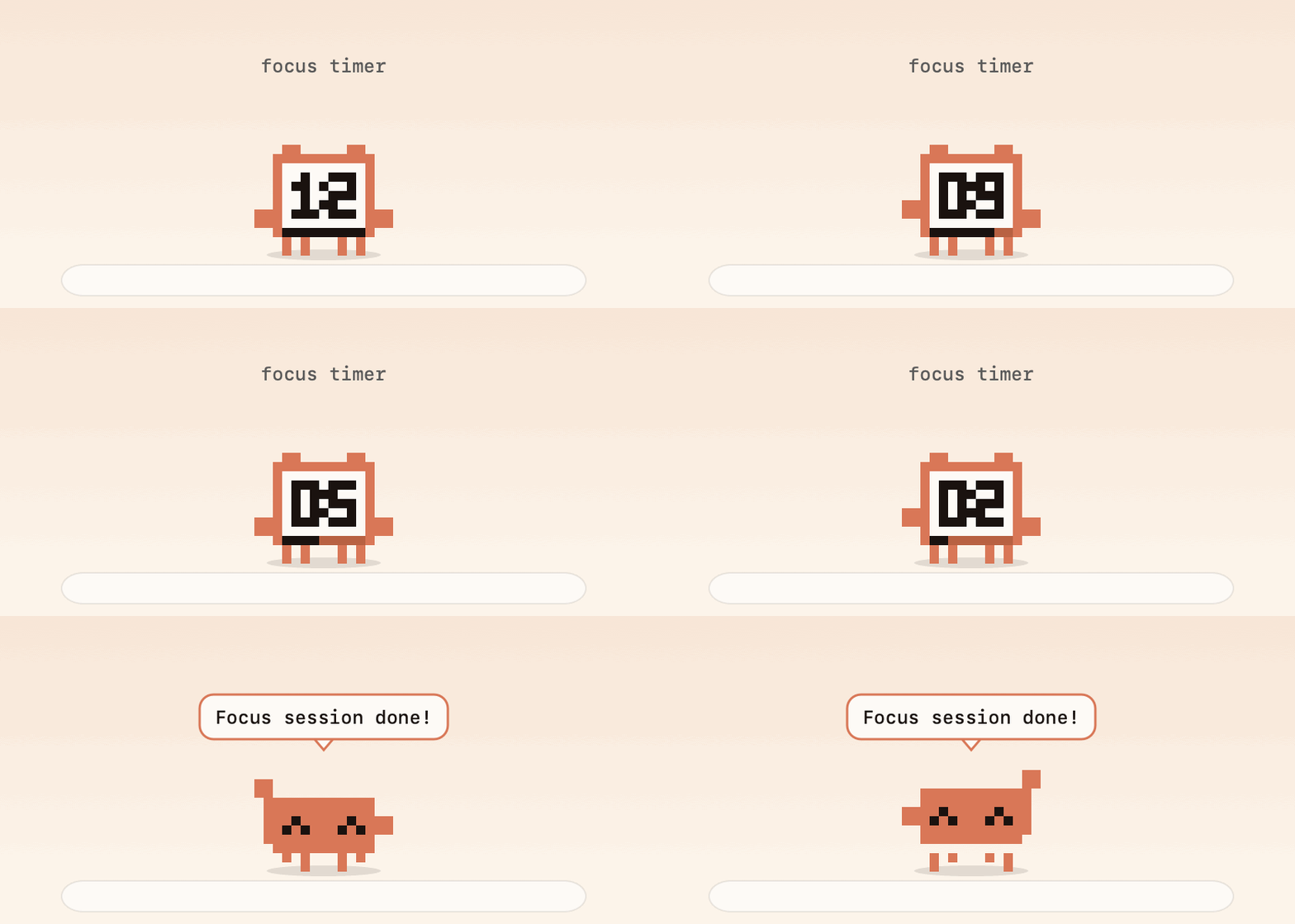
Start a focus session or a break and Clawd becomes a tiny alarm clock: a pixel LCD, a draining progress bar and a little bell on top. The same face sits in your menu bar with the countdown next to it. When time's up, a little bubble appears under his icon.

Clawd as a countdown timer, then celebrating

Drop files on him

A tray appears. You pick what happens.

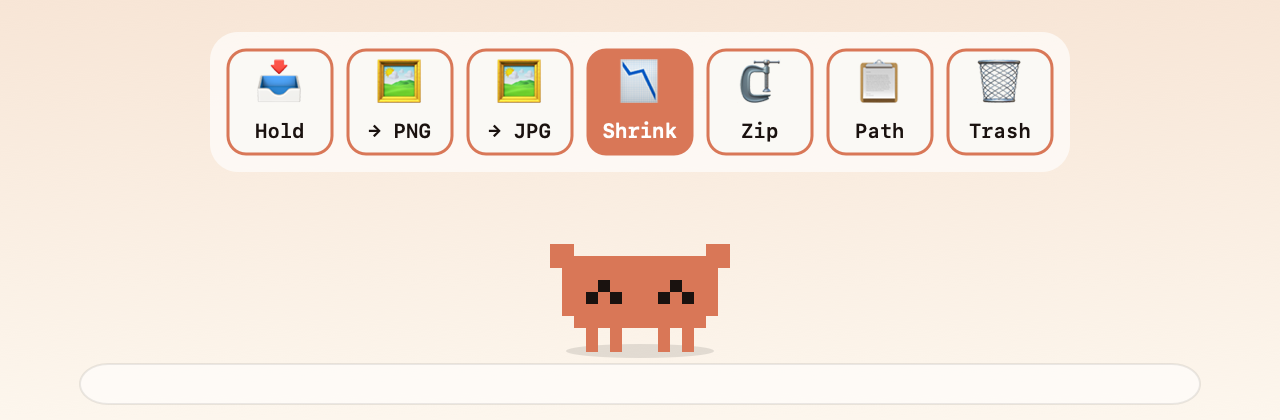
Drag any file over Clawd and a row of targets pops up. Hold it on a shelf, convert images to PNG or JPG, shrink them, zip things up, copy a path, or send it to the Trash. The shelf never moves your files; drag them back out wherever you like.

  • Hold, convert, shrink, zip, path, trash
  • Drop a folder and the tray offers Organise instead
  • Drop text and it becomes a quick note
The drop tray above Clawd: Hold, PNG, JPG, Shrink, Zip, Path, Trash

Folder tidier

He organises a folder, with flair

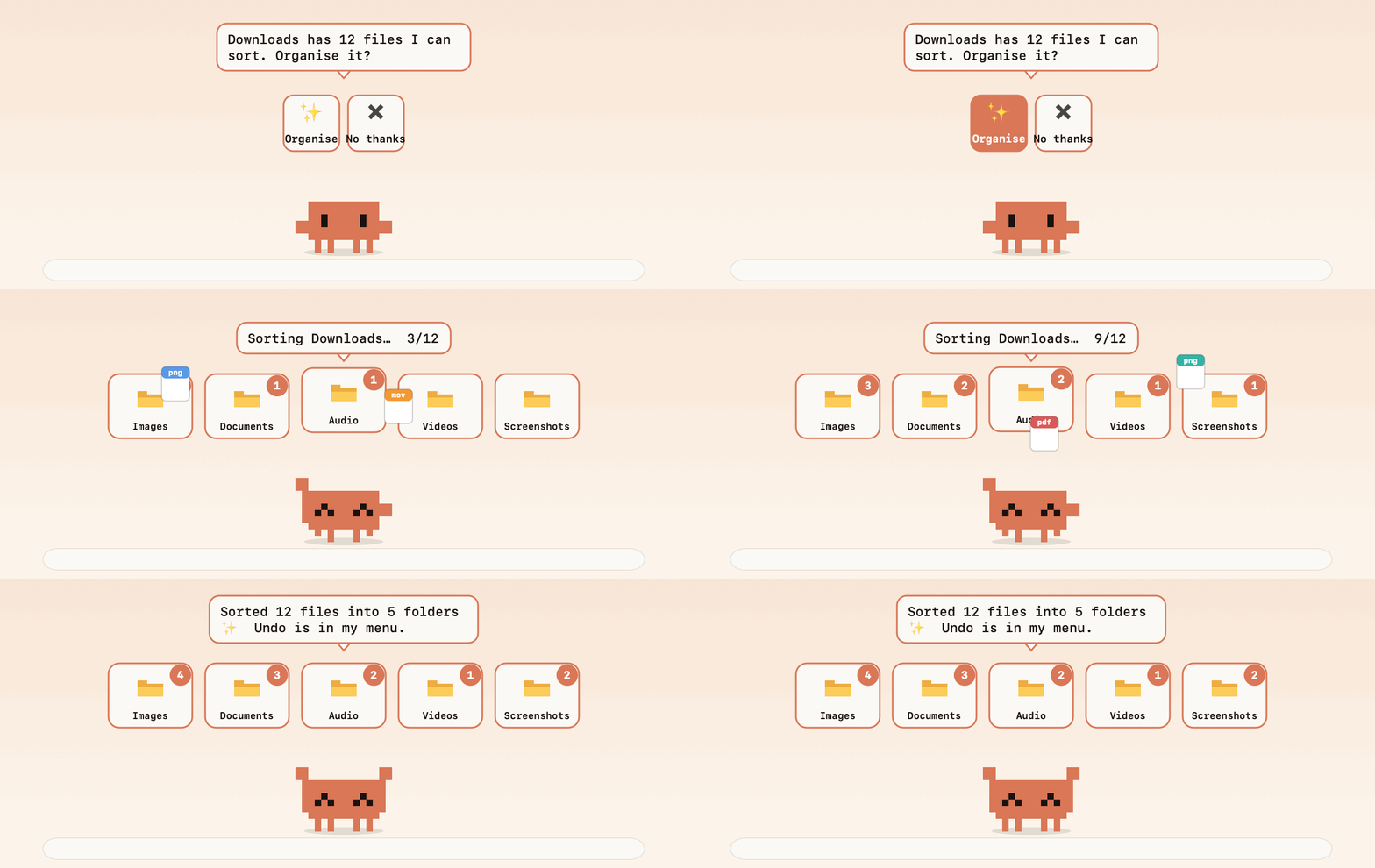
Drop Clawd on a Finder window and click Organise. He tosses every file into the right bin as the counts climb. Screenshots, images, documents, installers, code, archives: sorted in seconds.

  • Only loose files; subfolders, apps and half-downloaded files are left alone
  • Won't touch code projects, your home folder or system folders
  • Nothing is ever deleted, and Undo puts it all back
Clawd tossing files into Images, Documents, Audio, Videos and Screenshots bins

Links

Drop a link, get an MP3 or MP4

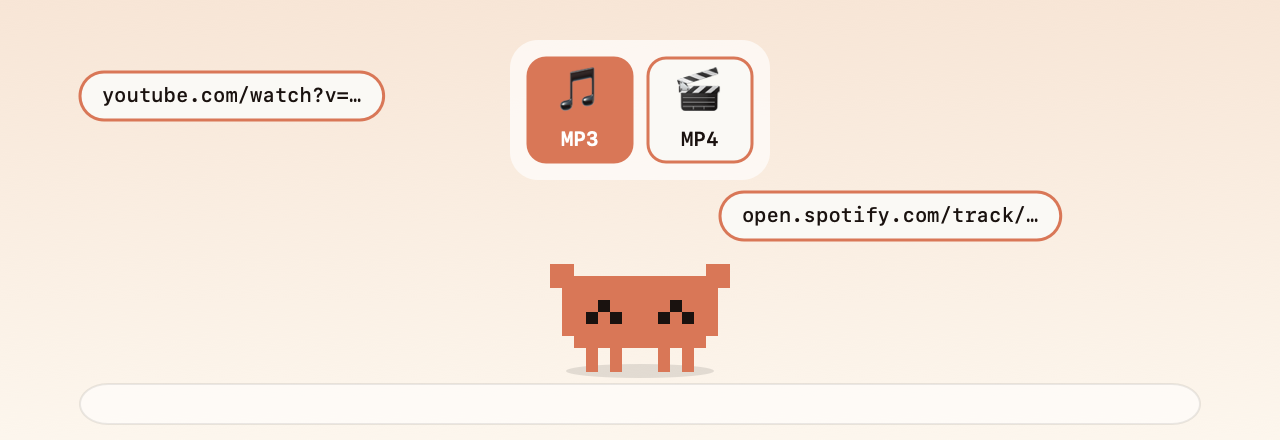
Drag a YouTube or Spotify track link onto him and choose MP3 or MP4. Files land in your Downloads and he reveals them in Finder. It runs on the open-source yt-dlp and ffmpeg, which you install once with Homebrew.

Only download things you have the right to keep.

Dropping a YouTube or Spotify link shows MP3 and MP4 tiles

Claude Code

Knows when Claude is done, or waiting on you

Clawd watches for a busy claude process and tells you the moment a run finishes. One click installs a hook so he waves and bounces whenever Claude Code needs your permission or input, even while he's tucked away in the menu bar.

✻ Flibbertigibbeting…
Claude Code finished!
# the hook he installs (with a backup of your settings)
Clawd --needs-you
Claude needs you!

Dev tools

Your GitHub, at a glance

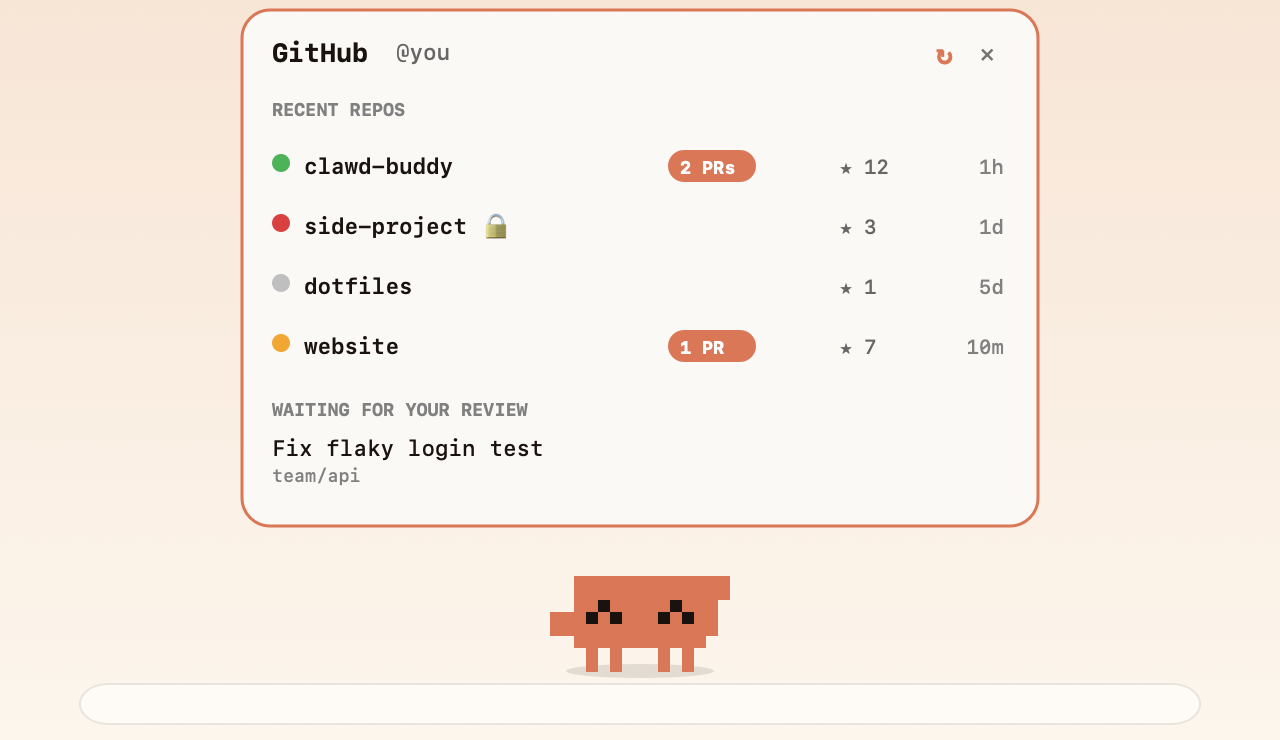
A dashboard hangs off Clawd with your recent repos, CI status dots, open PRs and the reviews waiting for you. It uses the gh CLI, so there's no token to paste. He'll tell you when CI fails. There's also a Git buddy that nags (nicely) about uncommitted work, and a port watcher that tells you when your dev server goes down.

The GitHub dashboard panel above Clawd

Weather and day & night

He dresses for the weather

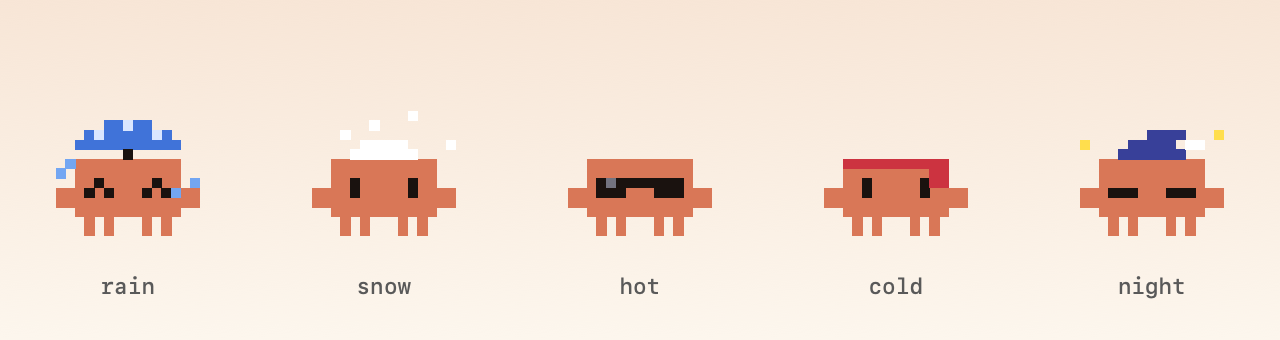
Tell him your city and he wears an umbrella in the rain, shades when it's hot, a scarf when it's cold and snow on his head when it flurries. After 9pm he puts on a nightcap under twinkling stars, and he'll nudge you at bedtime.

Clawd with an umbrella, snow, sunglasses, a scarf and a nightcap

Play

He's also a toy.

Four little games, a physics ball you can throw across your screen, and a handful of rare weird moods when you're not looking.

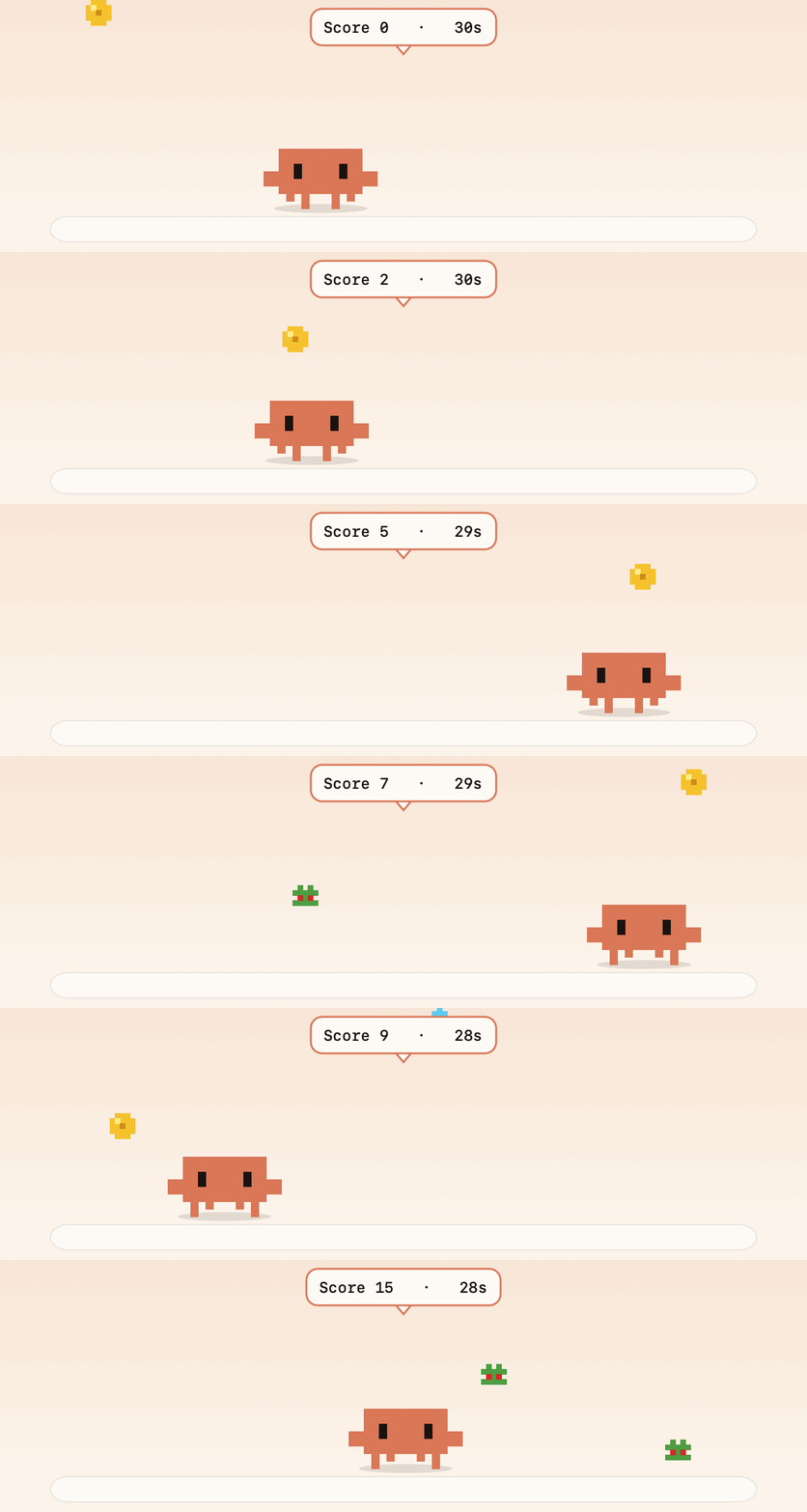
Token Catch

Token Catch

Move your mouse, catch coins and gems, dodge the bugs. 30 seconds.

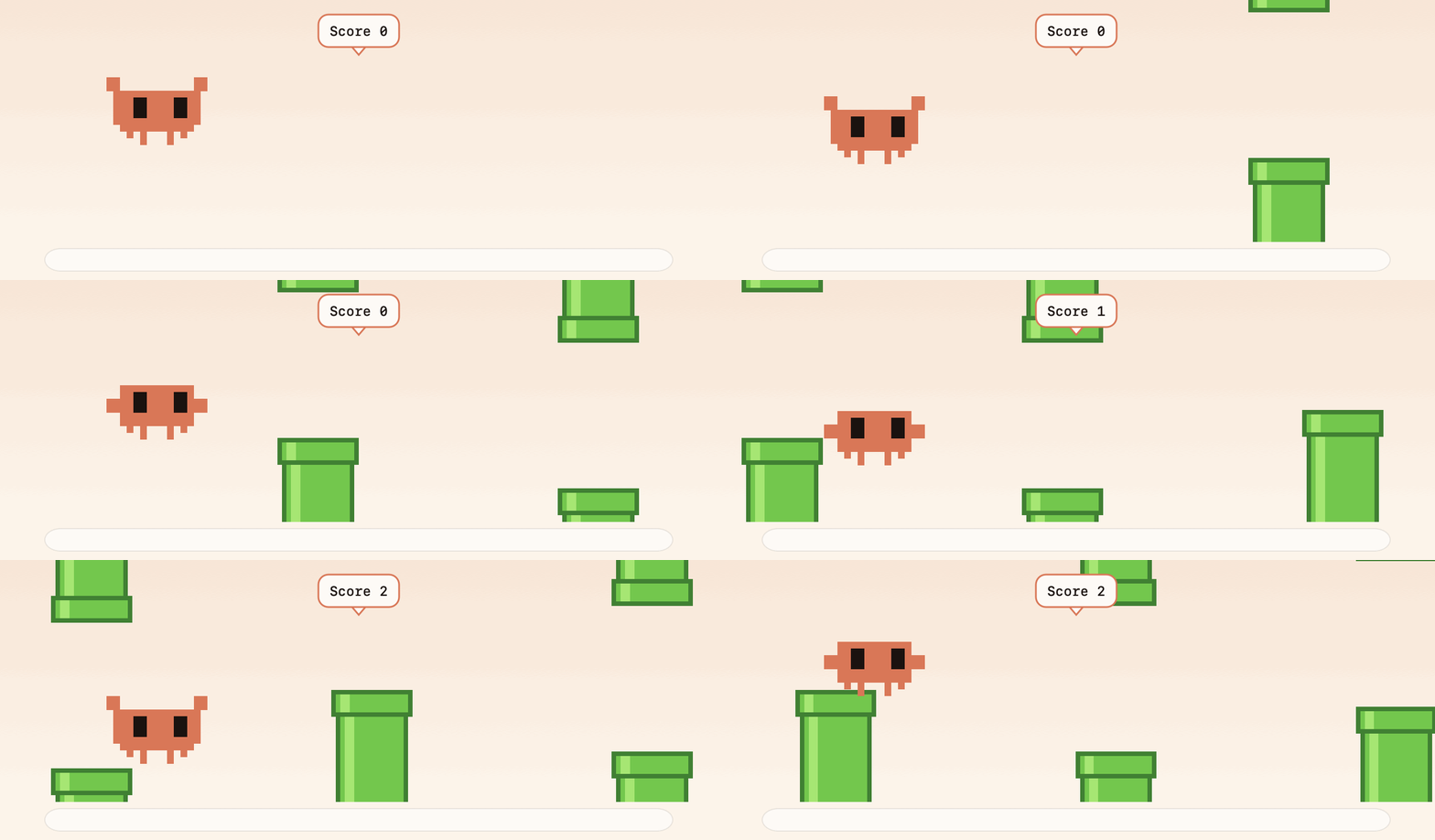
Flappy Clawd

Flappy Clawd

Click or press space to flap through the pipes.

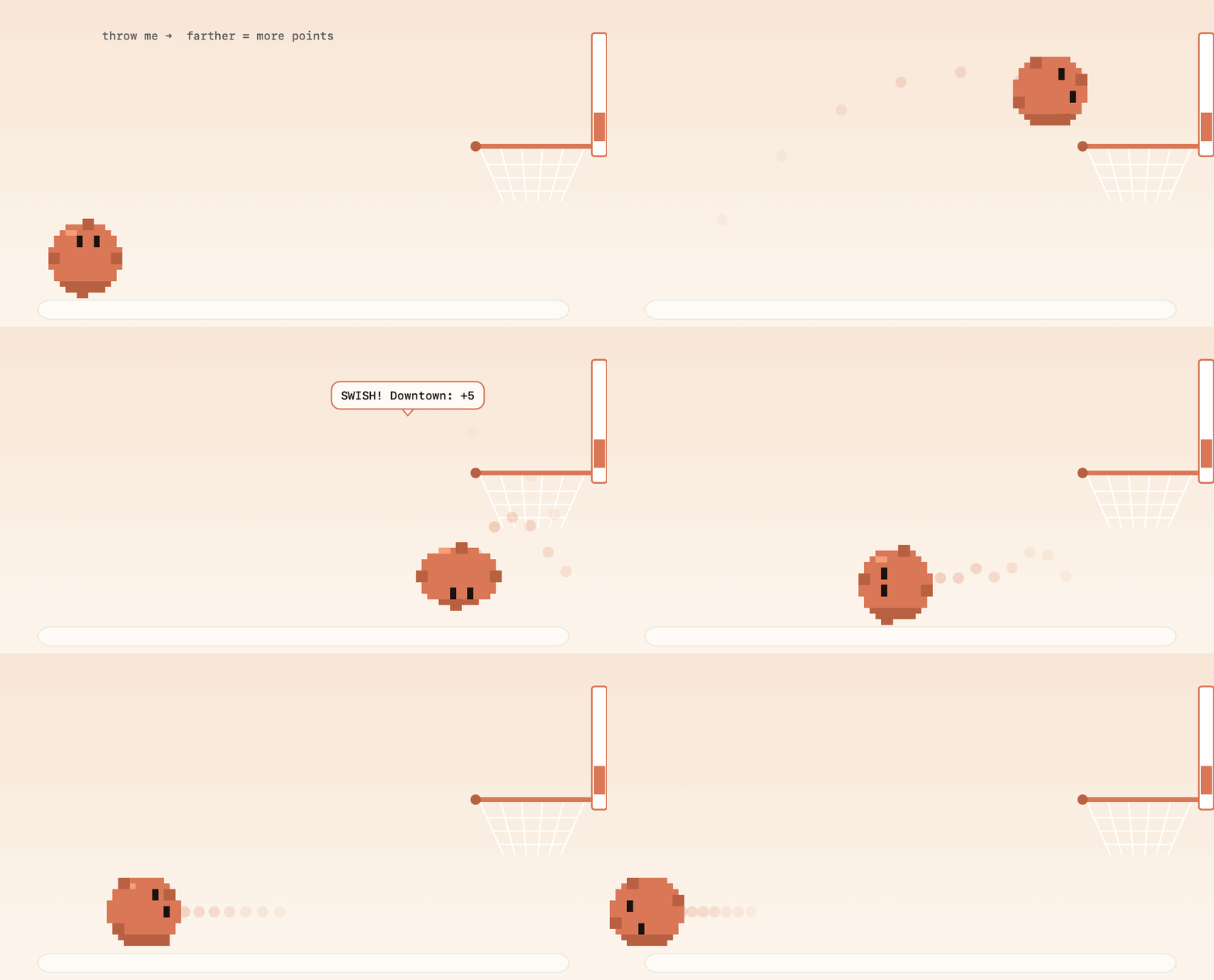
Basketball

Basketball

He rolls into a ball and a hoop appears. Farther shots score more.

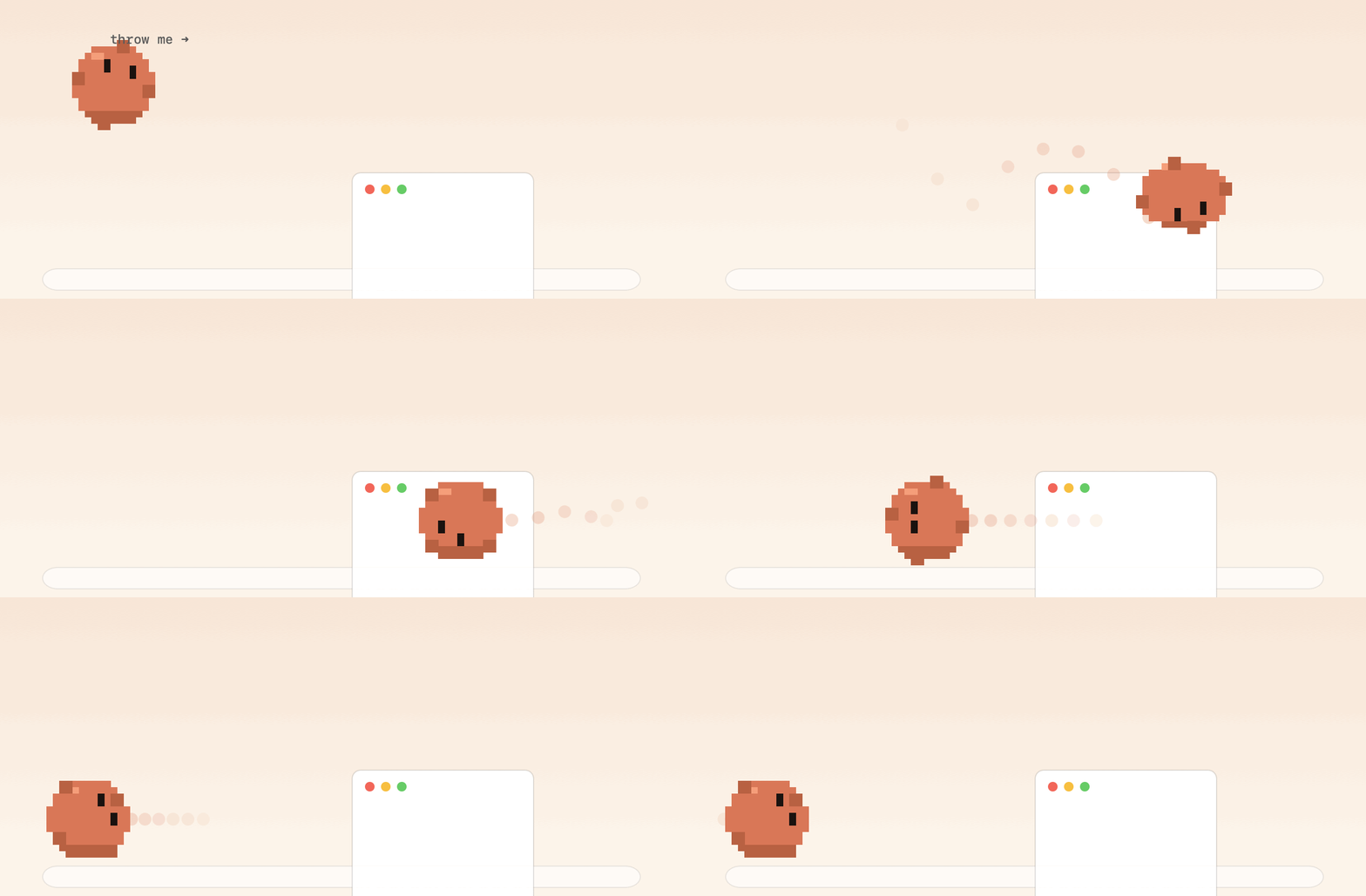
Physics ball

Physics ball

Grab him and throw him. He bounces off your screen edges and windows.

Weird moods

Every so often, something odd happens

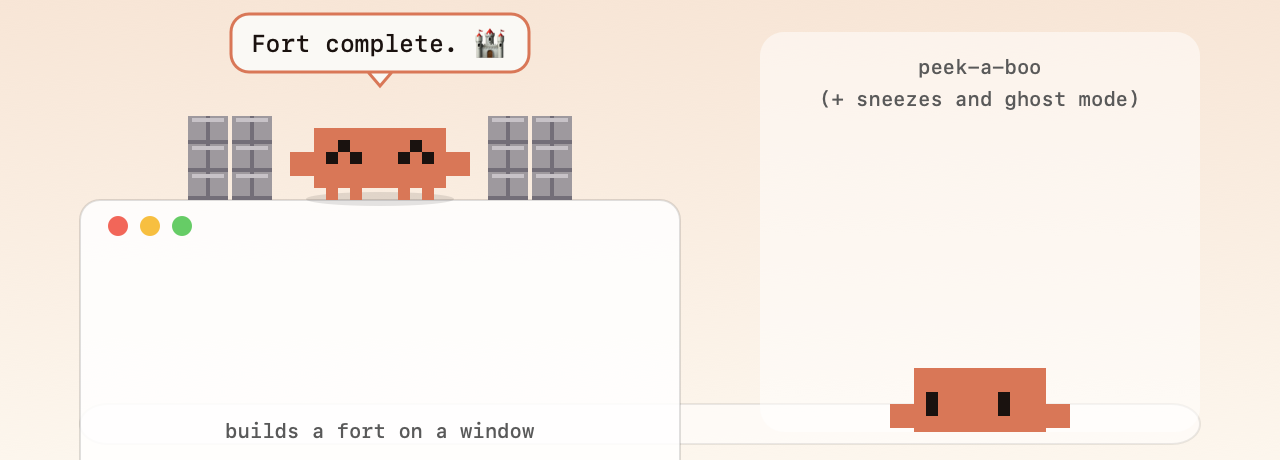
He builds a tiny fort on top of one of your windows. He hides off the edge of the screen and peeks back at you. He sneezes. He turns into a ghost. All with soft 8-bit blips, and every sound can be muted.

Clawd's fort on a window, and peeking over the screen edge

Little tools

And a few shortcuts worth keeping.

⌃⌥T

Screenshot to text

Drag a box around anything and the text lands on your clipboard. On-device OCR.

⌃⌥C

Color picker

An eyedropper for anywhere on screen. Copies the hex code.

⌃⌥Space

Ask Clawd

A calculator that also converts units and currency, and tells the time in Tokyo.

⌃⌥P

Password generator

Copies a strong one, keeps it out of clipboard history, and clears it after 45 seconds.

⌃⌥N

Quick notes

Jot something down from anywhere. Click a note later to copy it.

⌃⌥G

GitHub dashboard

Repos, CI and review requests, one keystroke away.

Try him right here

Go on. Poke the crab.

He's the one at the bottom of the page. Use these to boss him around, or just grab him.

Tip: in ball mode, grab him and fling him. He'll bounce off the screen edges and the cards on this page.

Get Clawd

Free. Open source. Two ways in.

Recommended

Clawd for macOS

Latest release · macOS 14 or later

Download Clawd.zip
  1. Unzip and drag Clawd.app to Applications.
  2. Right-click, then Open the first time. It isn't notarized yet, so macOS asks once.
  3. Say hi. He drops in from the top of your screen. Right-click him for the menu.

After that he updates himself: click Update in his menu when a new version is out.

Questions

Good to know.

Is it safe? What does it do with my data?

Everything runs on your Mac. The only network requests are the ones you trigger or turn on: the daily update check (GitHub), a currency rate lookup, weather for the city you set, the gh CLI for the dashboard, and downloads you ask for. The clipboard history lives in memory only and is off by default. The source is all in one repo you can read.

Why does macOS warn me when I open it?

It isn't notarized with a paid Apple Developer ID yet. Right-click the app and choose Open the first time, and macOS remembers. Building from source avoids the warning entirely.

Does it work with a notch or a crowded menu bar?

Yes. If macOS runs out of room for his menu bar icon (it silently drops what doesn't fit), Clawd notices, hops back out and tells you to make some space.

Will it organise my files without asking?

Never. He only tidies when you click Organise, only touches loose files at the top level, skips code projects and system folders, never deletes anything, and Undo puts every file back.

Is this made by Anthropic?

No. Clawd is an independent fan project inspired by the little mascot from Claude Code. It isn't affiliated with, endorsed by, or sponsored by Anthropic. This site borrows a warm, editorial look as a tribute, not a claim.

Can I turn things off?

Everything. The Settings window (right-click him, then Settings…) has a switch for each behaviour (sounds, weird moods, nudges, window climbing, update checks), grouped into tabs, and always shows what's on. There's a Quiet mode too, which also kicks in during Zoom calls.